Make your website bilingual without an account, without an API key and without a card. It's the complete plugin —visual editor, batches, site scan and SEO—, with one translation language in addition to yours. It doesn't expire or shut down waiting for a payment.
It's 0 €: we only ask for your name and email to send you the link and notify you of updates. Prefer not to leave it? Look for it as Incode Translate Master from Plugins → Add New on your own WordPress.
Without card
The order is 0 €
No expiration
It's not a trial
Without API key
Includes own engine
GPL v2
The code is yours
What you get
All this, free and forever
It's not a countdown demo or a crippled version: the only thing separating the free from the Pro is the number of languages at once and a handful of extras. Everything on this list works from minute one.
✓
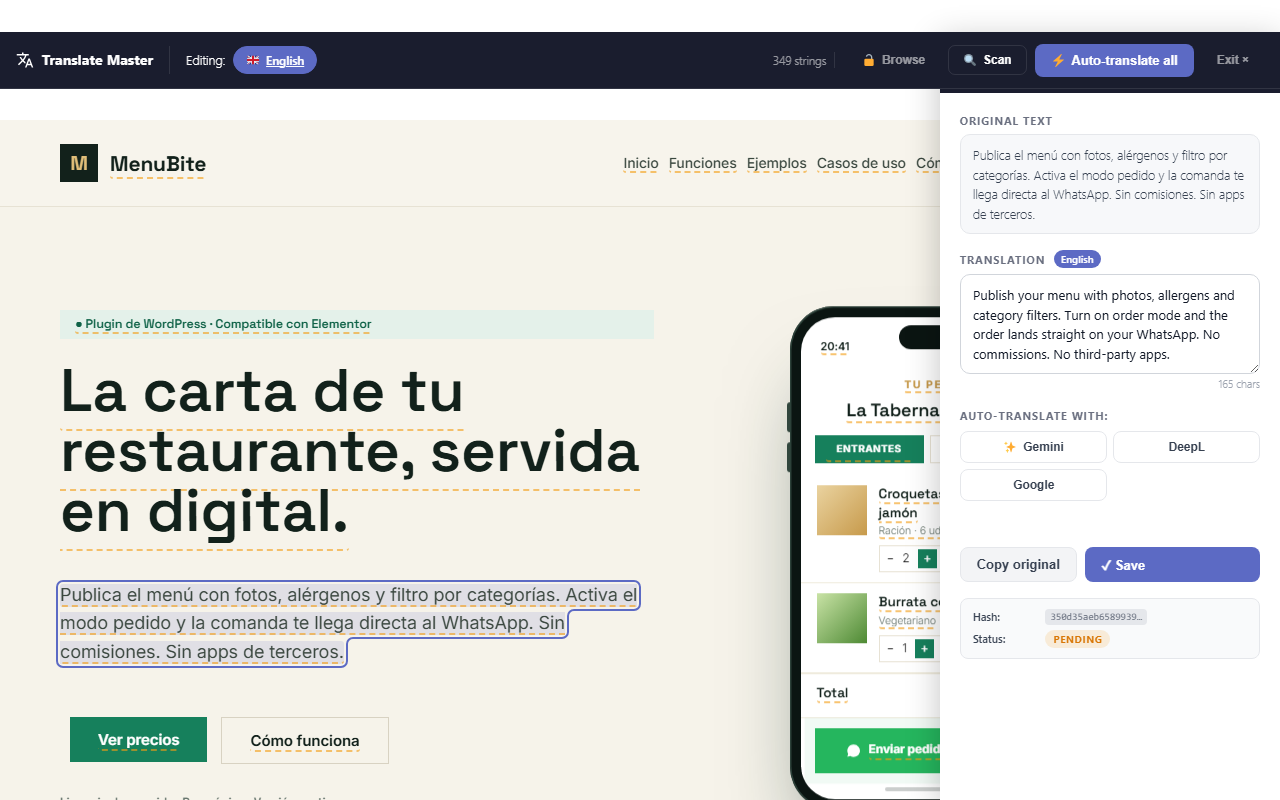
Visual editor on your own website. Click on any text on your page and correct it in the side panel seeing the real design.
✓
Translation engine without key. Translates from minute one, without API key, without account and without card.
✓
Batch translation. Sends all pending strings at once: the queue resumes where it left off and never translates the same thing twice.
✓
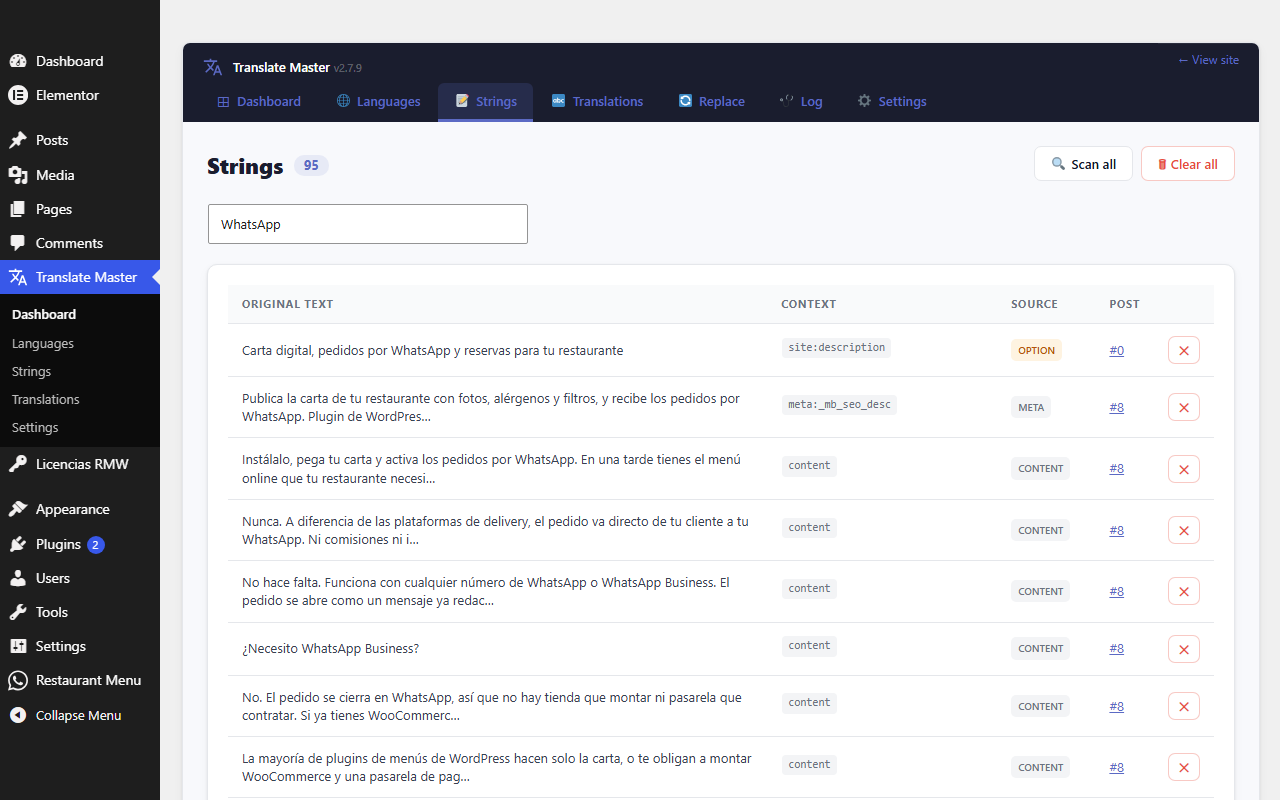
Entire site scan. Pulls all translatable strings from your posts and pages at once and gathers them on a single screen.
✓
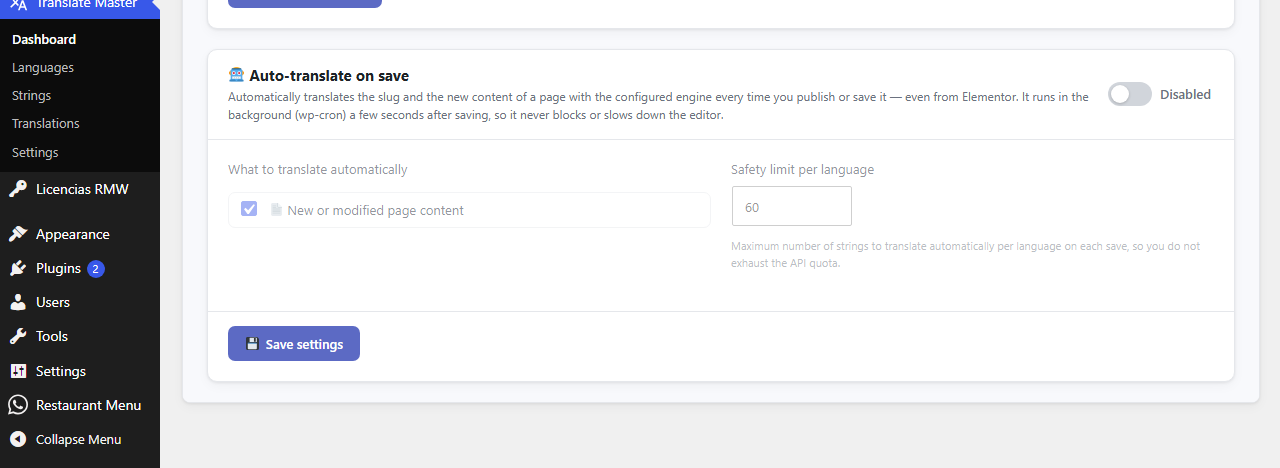
Translate on save. New or changed texts in a post are automatically translated in the background upon publishing.
✓
Translated SEO title. With Yoast SEO installed, each page's meta title appears in its language in Google results.
✓
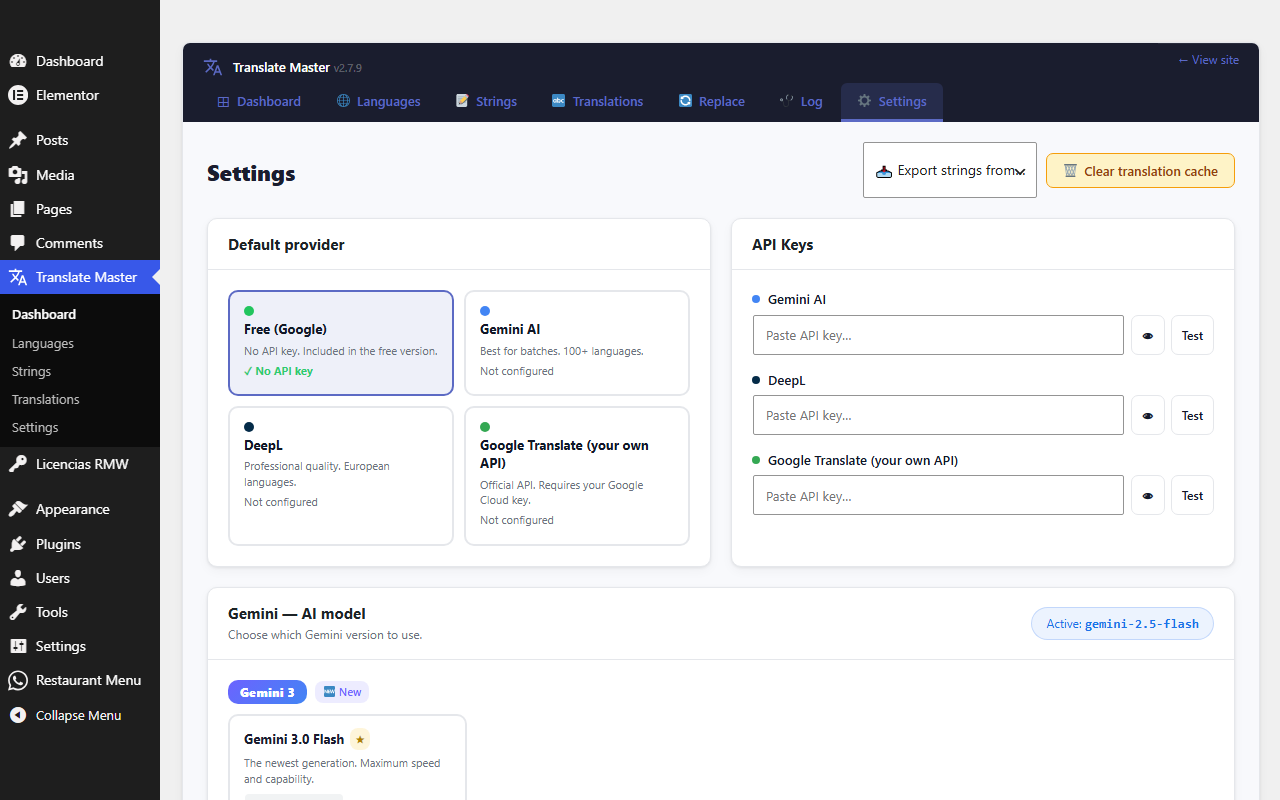
Your own engines. Google Translate, DeepL or Gemini with your key —you pay the provider directly— and you change engines without losing what's translated.
✓
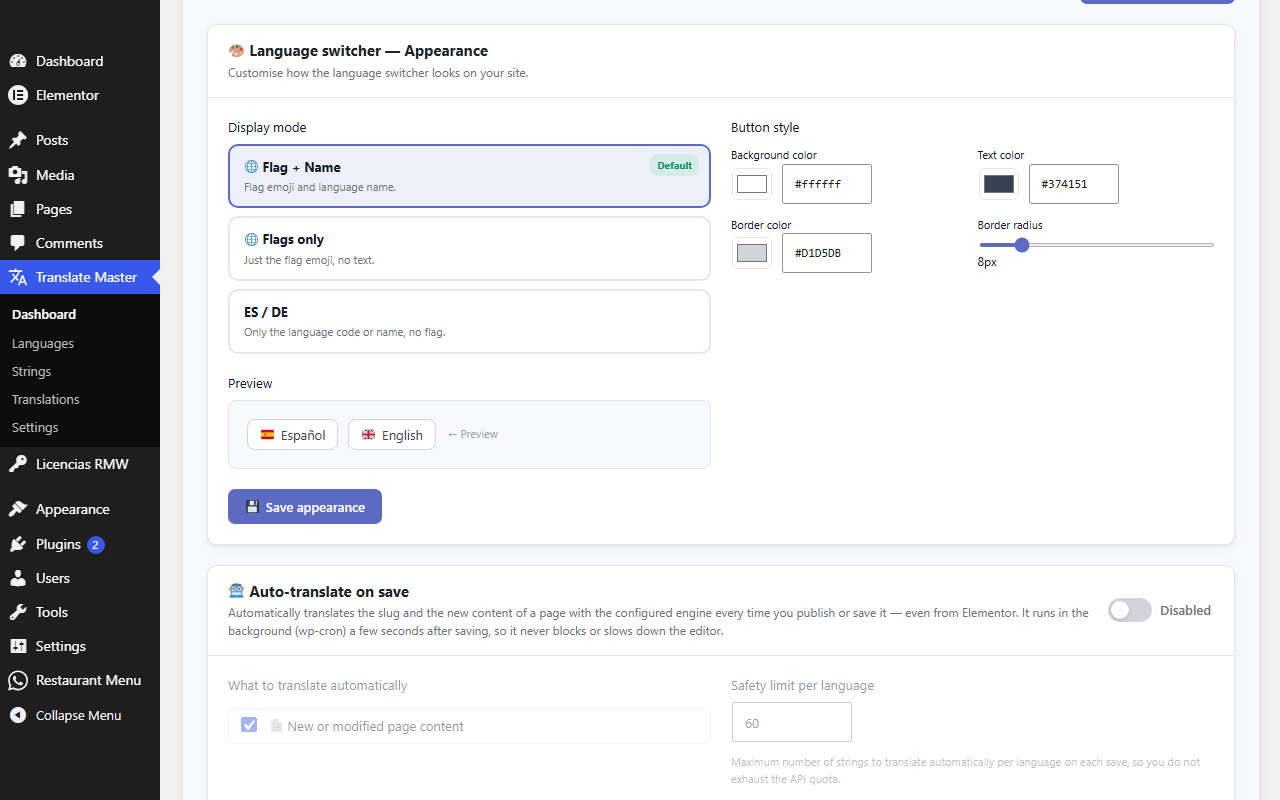
Language selector. Dropdown, list, flags or inline; as a shortcode, theme widget, menu item or Elementor widget.
✓
Translation memory. Each string is saved in your database: if the same phrase appears on two hundred pages, the engine is called once.
✓
Own URL and hreflang. The translation is published under its prefix, with reciprocal hreflang and its own canonical, so that Google indexes it.
✓
Fast to serve. Translations live in your database and come out as normal HTML: no API calls while a visitor loads the page.
✓
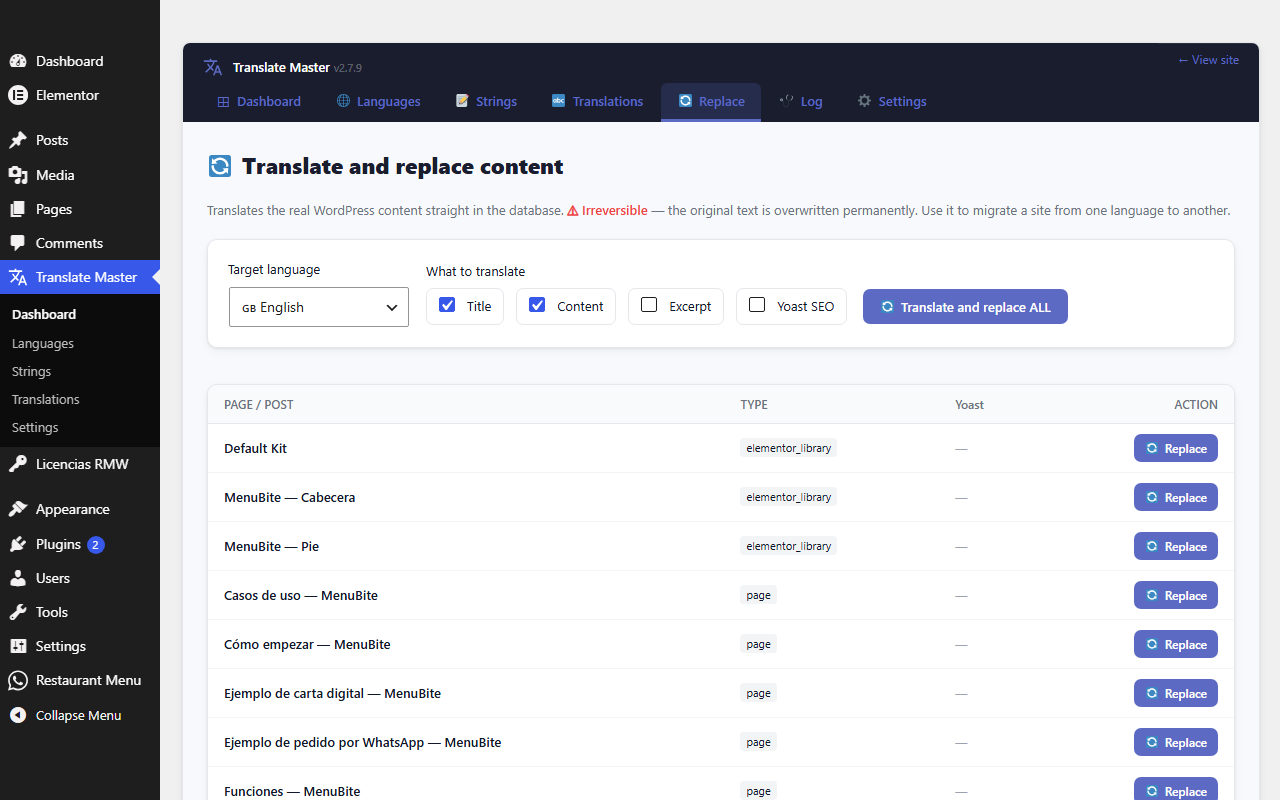
Translate and replace. Rewrites the actual content in the database, to migrate an entire website to another language.
✓
Fits with what you already have. Any theme, Elementor and Elementor Pro, WooCommerce product and page texts, and the usual cache plugins.
✓
Your translations are yours. You can export them whenever you want, and when uninstalling the plugin, it asks you whether to keep or delete its tables.
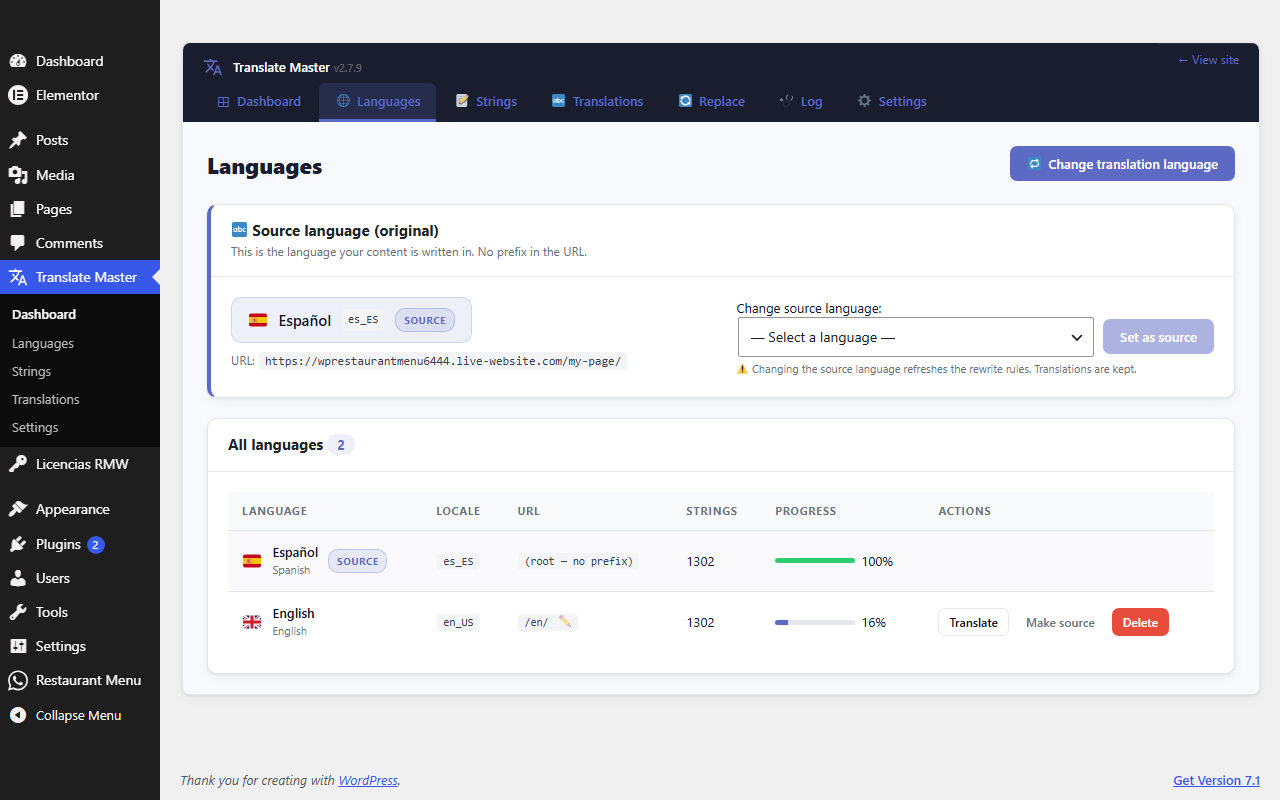
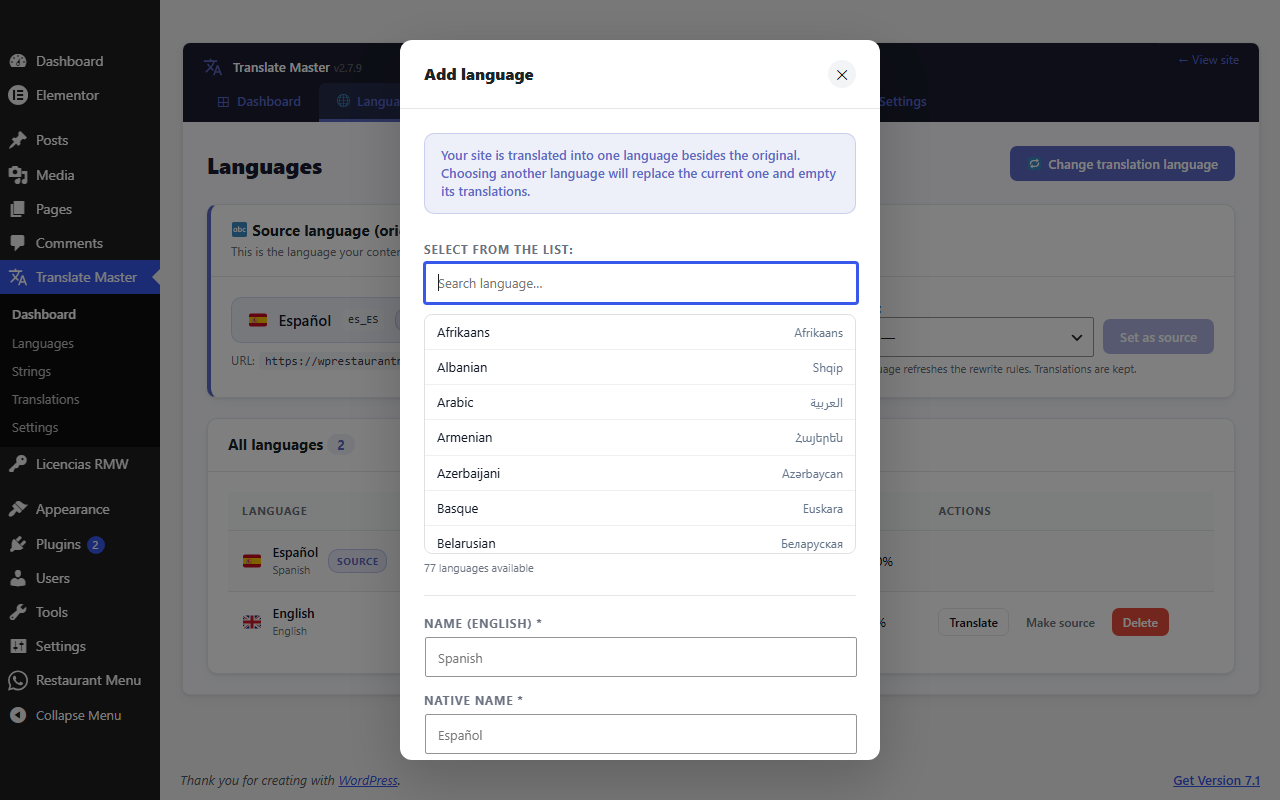
You choose the translation language from 77, and you can change it whenever you want from the Languages screen.
How it's done
From a website in one language to two, step by step
Without .po files, without duplicating pages and without touching code. These are the plugin's real screens.
1
Download and install it
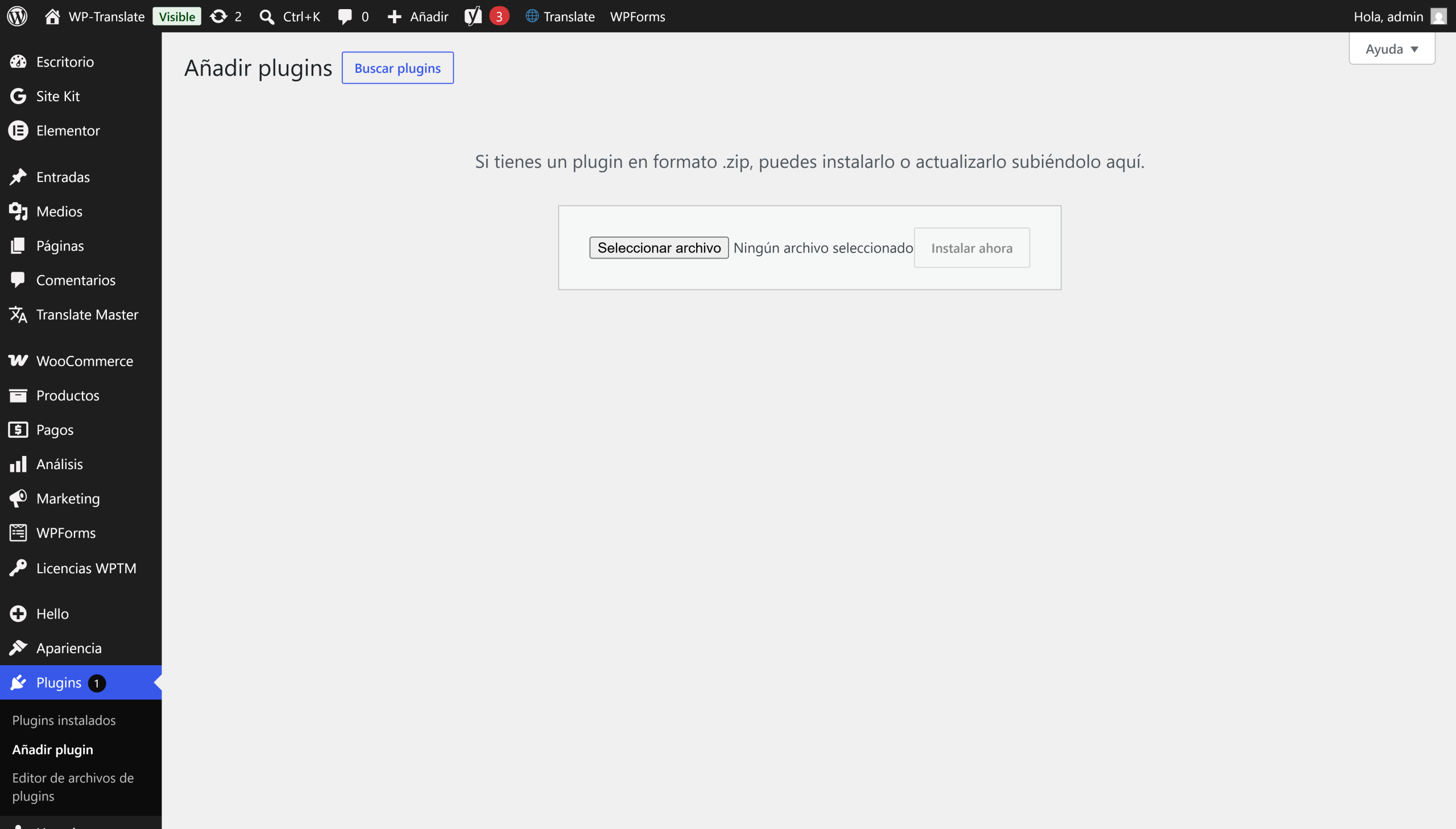
Click "Download for free" and the zip file will be saved in your client area forever. In your WordPress: Plugins → Add New → Upload Plugin, you choose the file and click install. Download it as is: do not unzip it. You can also skip this step and search for it by name from your own desktop.
2
Choose the language you are going to translate to
In Translate Master → Languages you see your source language and choose the second one. Each one automatically receives its URL prefix: your website stays at the root and the translation lives in /en/, /fr/ or the one you choose.
3
Scan your site
One click goes through posts and pages and extracts all translatable strings. Elementor designs are read from their own JSON, so no text is missed. You have them all on one screen, with their context and the post they came from.
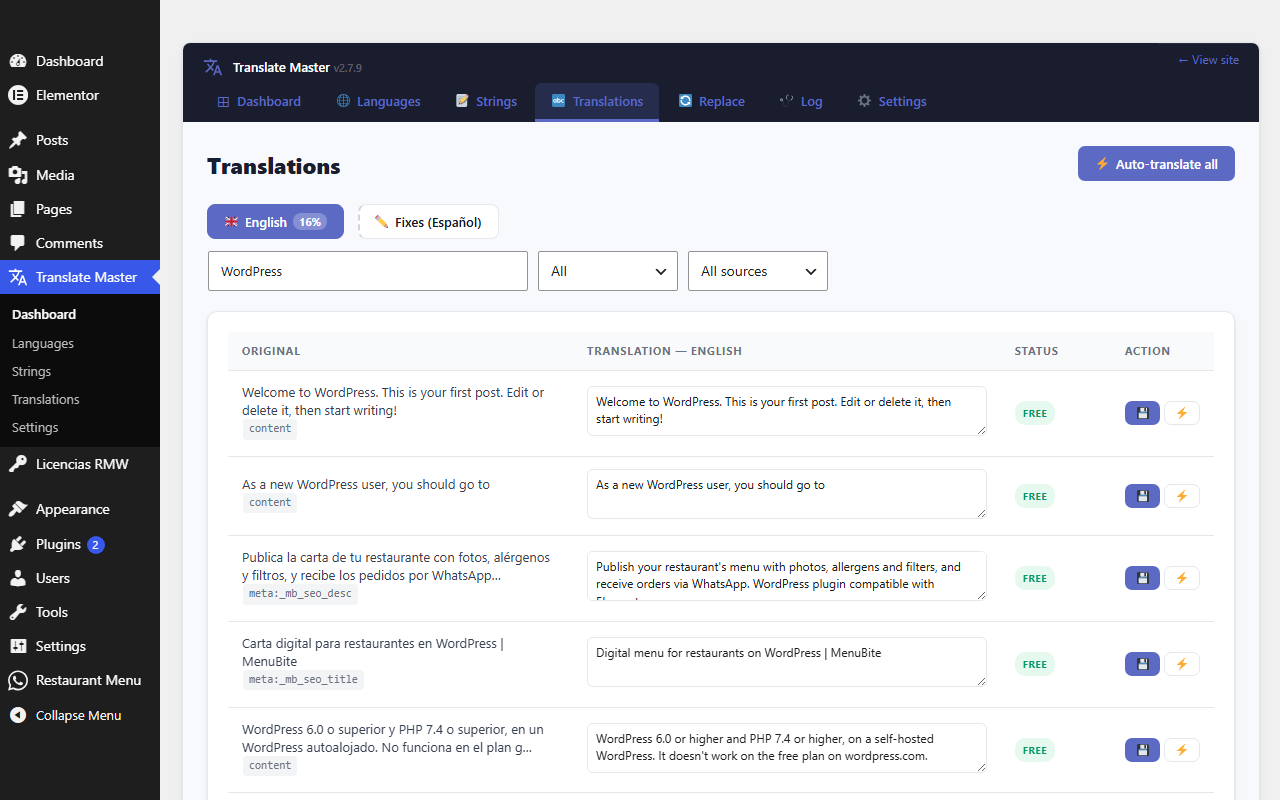
4
Translate with a click
Original and translation, side by side. You can send everything in batches and let the queue work by itself, or review string by string. What you correct manually will not be overwritten in subsequent passes.
5
Review on your website, not on a list
Open your page as a visitor sees it, click on the text you want and correct it in the side panel with the design in front of you. This way, a translation that's too long won't break a button or a headline again.
The result
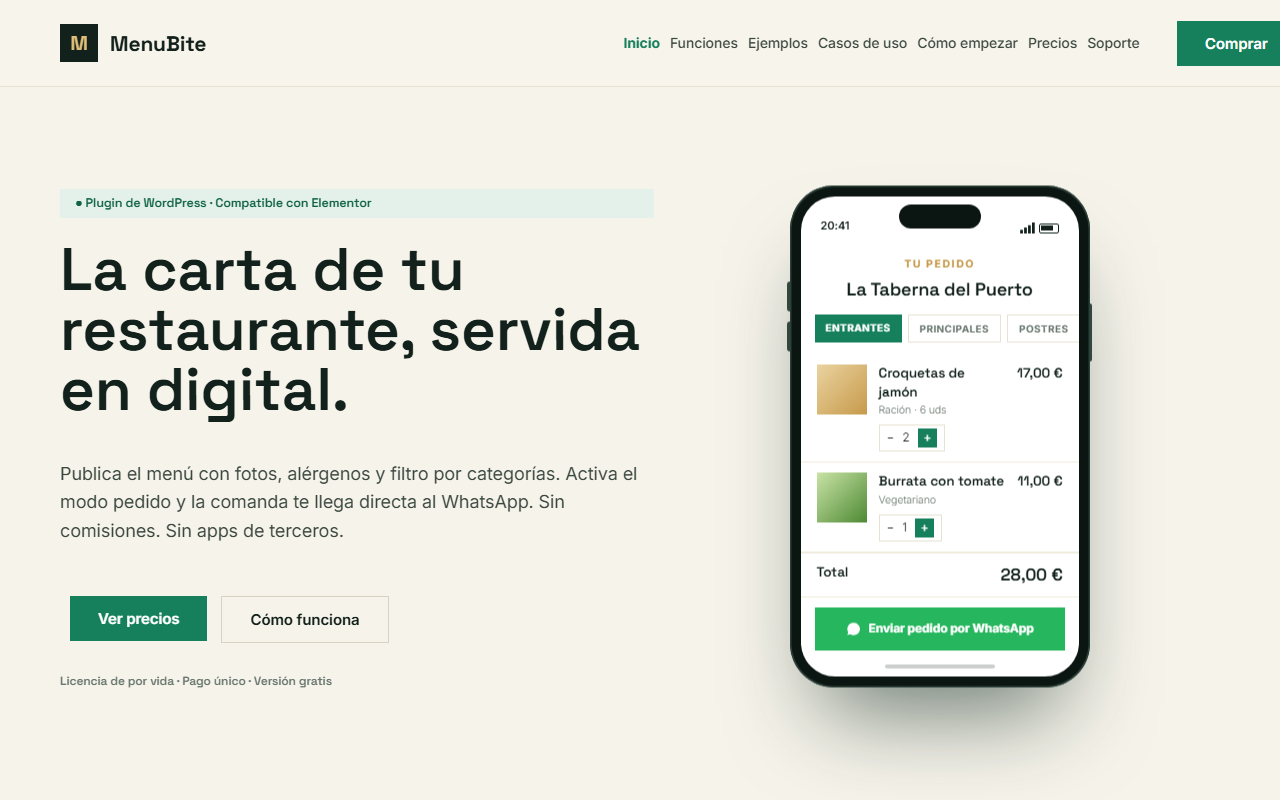
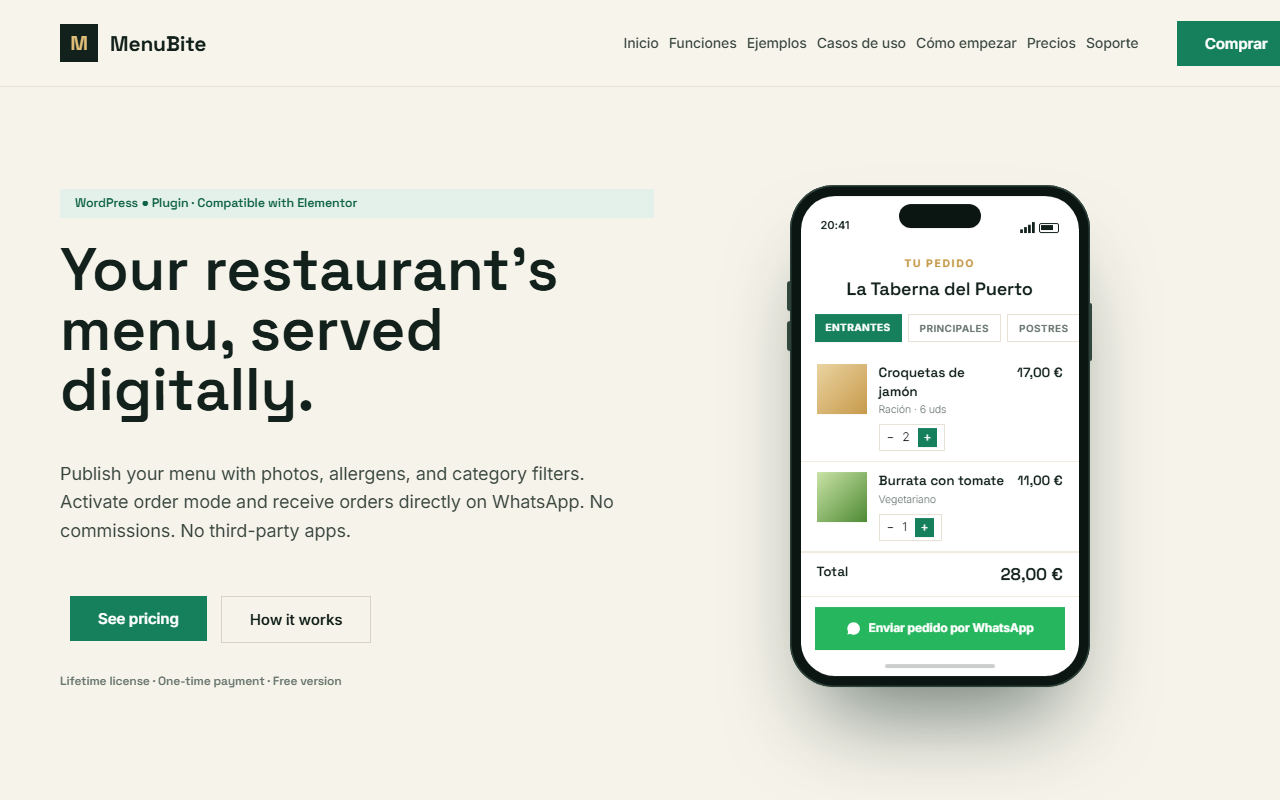
The same page, in two languages
Same design, same images, same theme. Only the text and URL change.
Original. Your website as it is now, at the root of the domain and without a prefix.
Translated. The same page in /en/, with its hreflang and its canonical.
Inside
The screens you're going to find
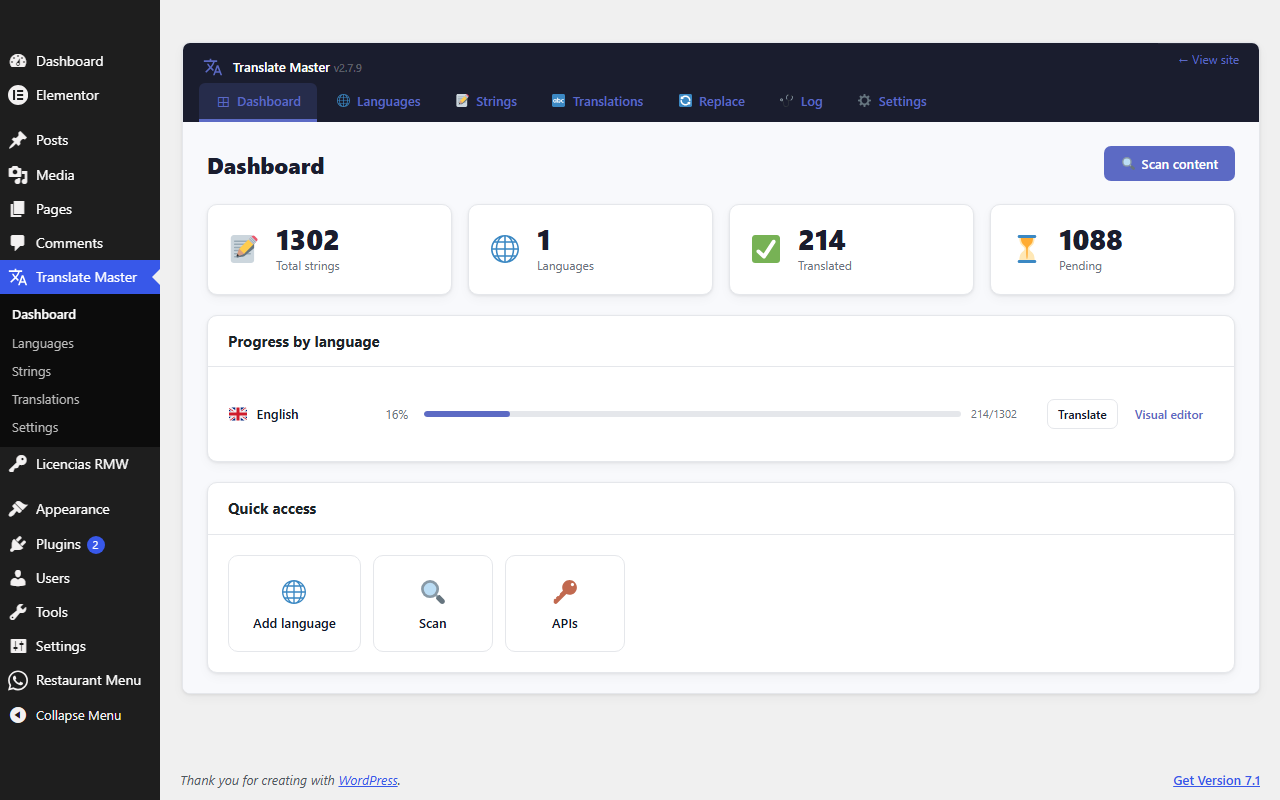
Dashboard
Total strings, translated and pending, and the progress of each language at a glance.
77 languages
Choose the translation language from a list of 77, with a live search engine.
Engines
The free one doesn't need a key. If you want, you can put in your own from Gemini, DeepL, or Google Cloud.
Translate on save
You publish or update a page, even from Elementor, and the translation is launched automatically.
Language selector
Flag and name, only flags or the code, with your colors and corner radius.
Translate and replace
Rewrites the content in the database to migrate an entire website to another language.
Questions
What they ask us before downloading
Is it a trial version?
No. Everything on this page works without a key, without an account, and without an expiration date. There's nothing turned off waiting for a payment.
Do I need an API key?
No. It comes with a translation engine that works without a key. If you prefer to use your own from Google Translate, DeepL, or Gemini, you put it in Settings and pay the provider directly.
How many languages do I keep?
Two: the language your website is written in and the translation language you choose from 77. You can change the second one whenever you want from the Languages screen.
Will Google index it?
Yes. The translated version is published under its own URL prefix, with reciprocal hreflang tags and a canonical pointing to itself.
Will it slow down my website?
No. Translations are saved in your database and served as normal HTML. No API is called while a visitor loads the page.
What if I remove the plugin someday?
The translations are yours: you can export them beforehand, and the uninstaller asks if you want to keep or delete its tables.
Requirements
What your WordPress needs
✓
WordPress 6.1 or higher
✓
PHP 8.0 or higher
✓
The extensions dom, libxml y mbstring — almost any hosting provides them
Does something not fit or have you encountered a bug? Write to us from contact, or report it from the screen itself of Support of the plugin.
If one day you need more
What the Pro version adds
The free version isn't crippled by this: it comes with two languages. Pro is for when your website needs to speak in five or fifteen.
✓
All the languages you want at once, not just one for translation
✓
Translated slugs: the address of each page also changes language
✓
Visitor language detection the first time they enter
✓
Multilingual XML Sitemap
✓
Rank Math, in addition to Yoast
✓
WordPress and WooCommerce emails, translated into the client's language
From 49 €, one-time payment and no annual fee. And they share the same tables: if you install Pro over the free version, what you have already translated remains where it is.
Your key arrived by email as soon as you paid. Here you have the Pro installer, how to activate it, and what to do if you have lost the key or change websites.
Translate your website without limits: large batches, DeepL and Gemini, translated SEO and lifetime updates. If you decide now, the 1-site license is 36.75 € instead of 49 €.
horas
min
seg
La oferta ha terminado, pero puedes ver los planes con su precio normal.
One-time payment: the license never expires
14-day money-back guarantee
The discount is applied only when you click the button
We use our own and third-party cookies for technical, analytics and, where applicable, marketing purposes. You can accept all cookies, reject them, or configure your preferences.
Necessary
Essential for the website to function. Always active.
Preferences
Allow remembering choices such as language or region.
Analytics
Help us understand how the website is used in order to improve it.
Marketing
Used to display relevant advertising and measure its effectiveness.