
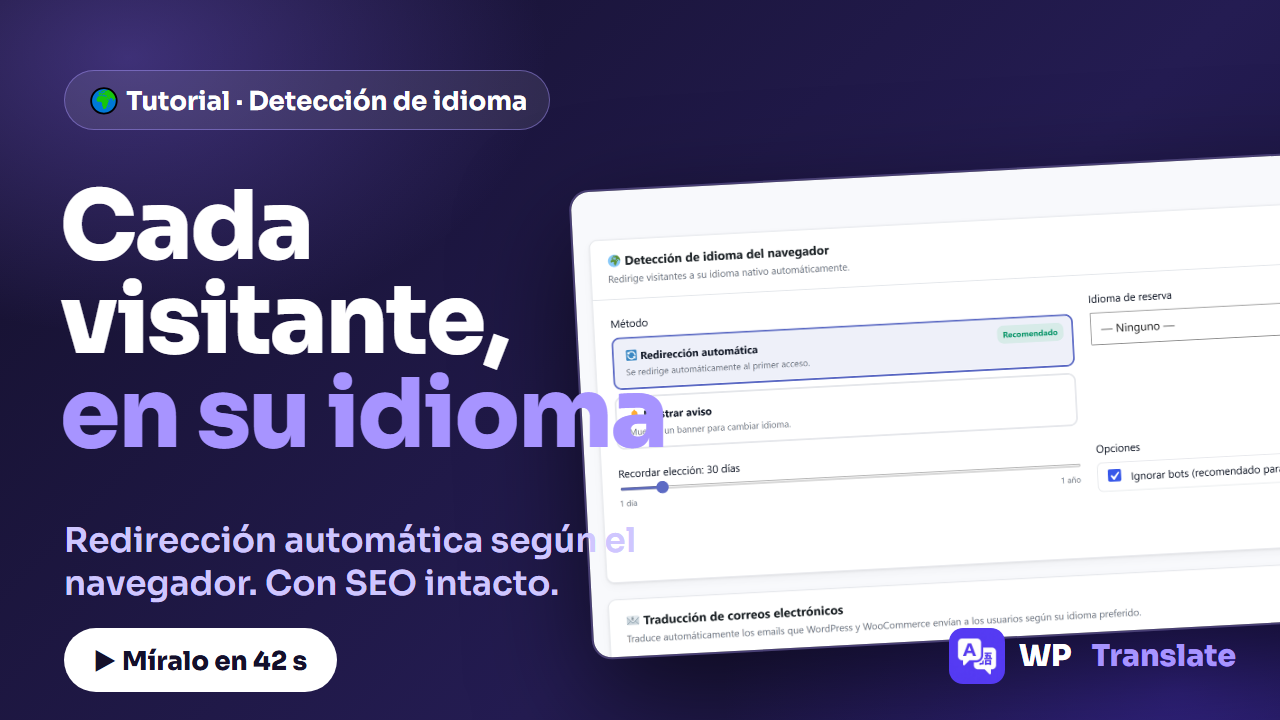
A German visitor enters your website and sees it in Spanish. They have the German version one click away… but you've already lost that click. The browser language detection from WP-Translate solves this: it looks at the visitor's browser language and serves them their version directly. It's configured in a minute, like this:
To the point: WP-Translate detects the browser language of the visitor and takes them to their version. You choose between automatic redirection or a notice, you mark a fallback language, you decide how many days it is remembered the choice, and the option «Ignore bots» leaves your SEO intact.
1. Turn on detection
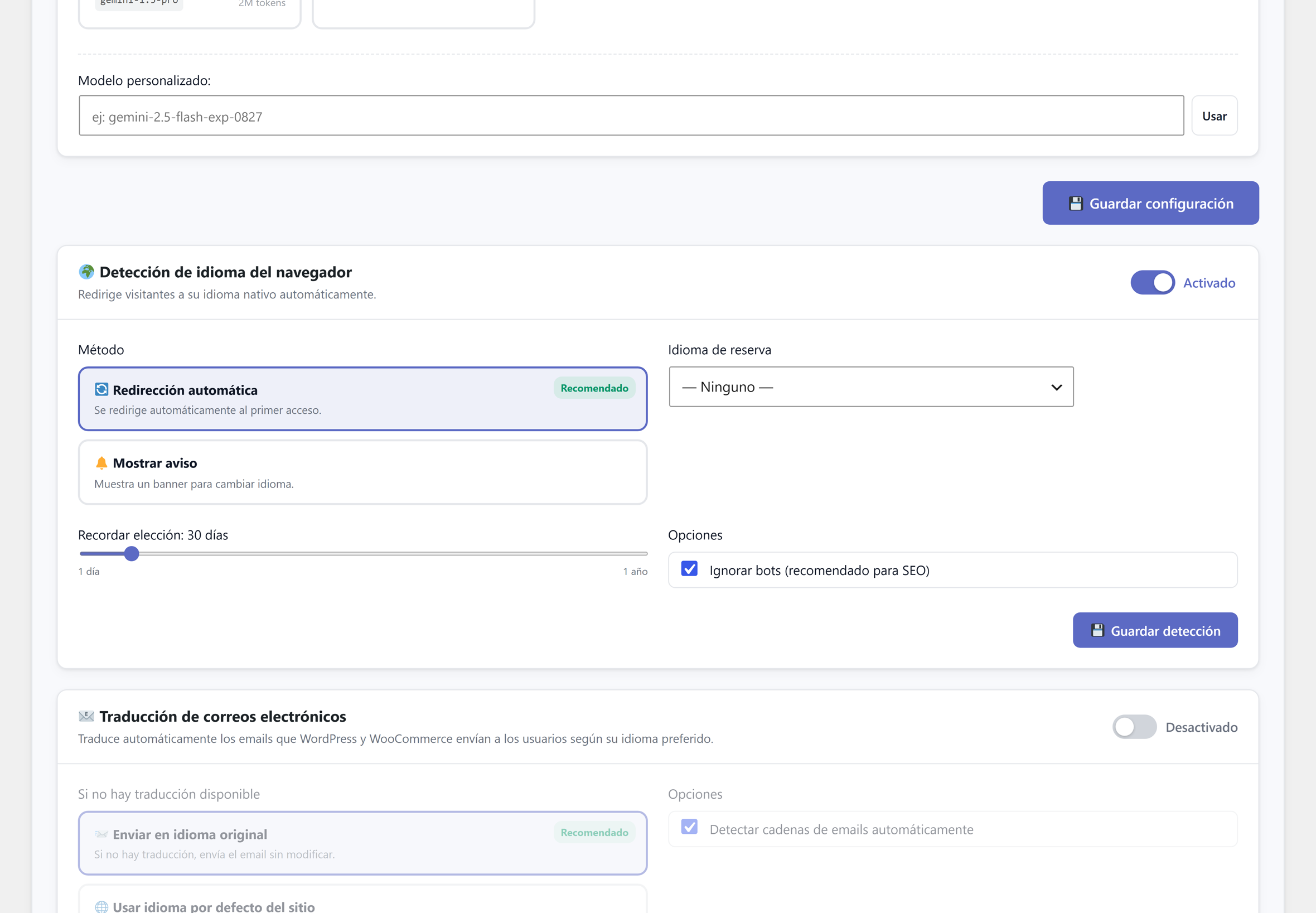
In Settings, scroll down to the card «Browser language detection» and activate it with the switch. The entire section lights up and reveals its options.
2. Choose the method
Two ways to do it, and both are legitimate:
Automatic redirection (recommended): upon first access, the visitor lands directly in their language. Show notice: the website does not change by itself; a banner appears offering to change language, and the visitor decides.
3. Fallback language and memory
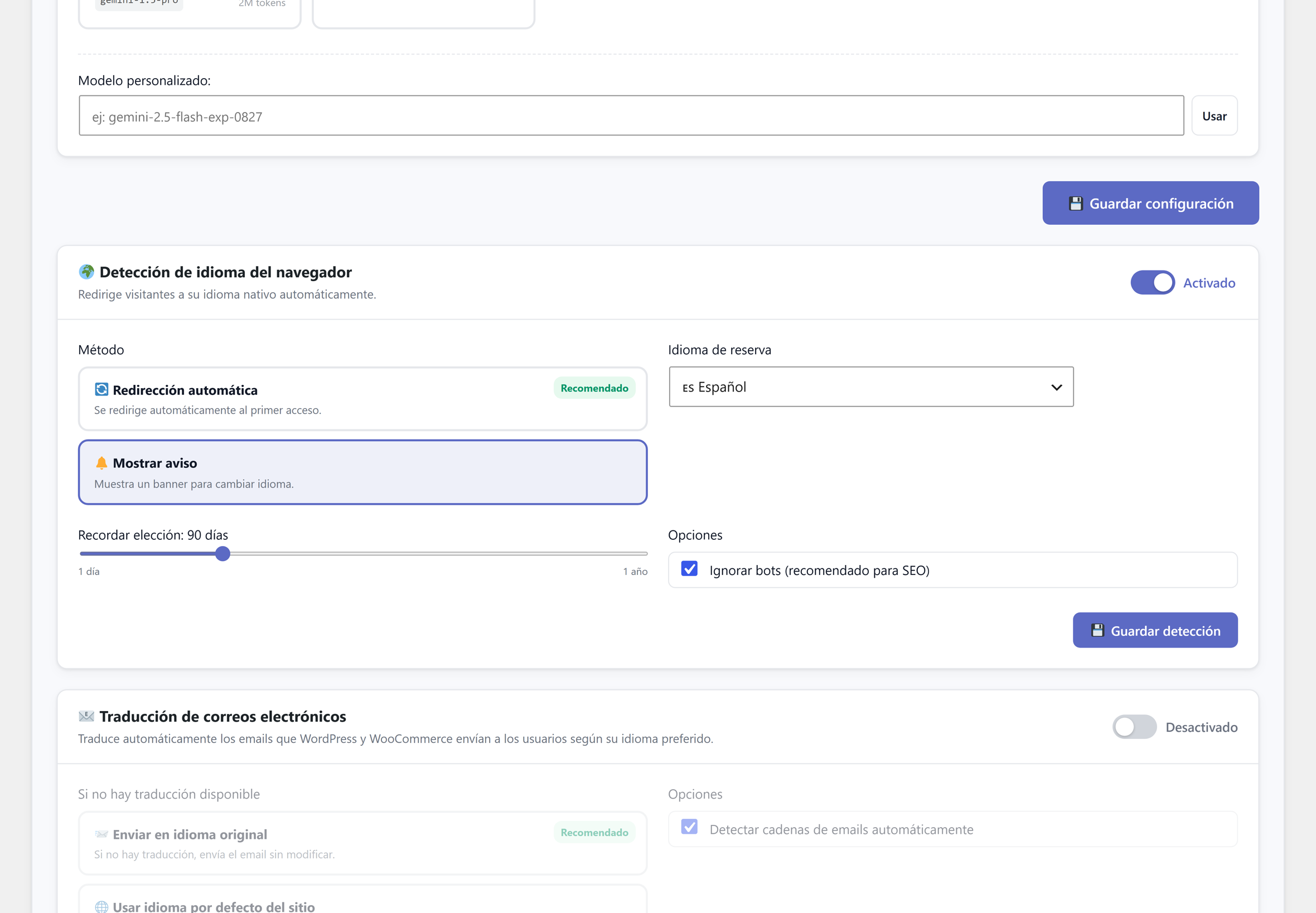
If the visitor's language is not among yours, the fallback language decides what they see. And the slider for «Remember choice» sets how many days the language chosen by the visitor is respected, from one day to one year: detection does not act again until it expires.
4. «Ignore bots», the option that protects your SEO
Google should not be redirected: each version of your website has its own URL and you want it to crawl all of them. The checkbox «Ignore bots (recommended for SEO)» does exactly that: visitors are redirected, search engines are not. Leave it checked, press «Save detection» and done.
Quick questions
How does it know the visitor's language? By the language header sent by their browser, the same one used by all serious multi-language sites.
What if the visitor changes language manually? Your choice is saved for the days you mark, and the detection respects it.
Does it affect SEO? No, if you leave «Ignore bots» activated: search engines still see each language at its URL.